You may have flash lite application on your project which need to be so an adventure-like game. Ever wonder how many Megabytes are acceptable for Flash Lite applications?
A Flash Lite application should be in the kilobytes range not megabytes. Remember everything runs in memory. Test using Device Central and look at the memory consumption.`Usually is around 2MB for S60 phones.
On the phone you will get a prompt asking to access the network. Usually only once.
If you are not distributing your application to the public you really do not need to go through the Symbian singed process.
Showing posts with label Basic Knowledges. Show all posts
Showing posts with label Basic Knowledges. Show all posts
08 April 2009
08 September 2008
PDF File for Quick Learning 4 Ways Menu
While you doing an application in Flash Lite with 2 way or 4 way navigations,you will need a brief guide about it. It will guide how to create a key catcher button,create and use a key catcher button, creating a simple menu using movie clips,create a simple menu using movie clips,handling button events, create a button event handler script.
I love all this things all wrapped out by simple .pdf file. You may have it by free. Just go to this link , click smallpdf icon with "FREE DOWNLOAD THIS TUTORIAL" on right side.
You will have a pop up window, then you know how to download this file.
I love all this things all wrapped out by simple .pdf file. You may have it by free. Just go to this link , click smallpdf icon with "FREE DOWNLOAD THIS TUTORIAL" on right side.
You will have a pop up window, then you know how to download this file.


25 August 2008
Random Welcome Screen
I love tricky way to generate random frame to be stopped. For example, you have frame 1-10 with different movie clip on it. So,whenever user click a button,they will get surprises with different welcome screen.
Here we go.
on (release) {
// Sets the number of digits in the random sequence:
var mySetting = 3;
// Creates a random number:
myNumber = random(mySetting)+1;
// Checks to see if it is repeating itself:
if (myNumber == myTemp) {
// If it is repeating it generates a new random number:
myNumber = random(mySetting)+1;
gotoAndStop(myNumber);
// Continues as above:
if (myNumber == myTemp) {
myNumber = random(mySetting)+1;
gotoAndStop(myNumber);
if (myNumber == myTemp) {
myNumber = random(mySetting)+1;
gotoAndStop(myNumber);
if (myNumber == myTemp) {
myNumber = random(mySetting)+1;
gotoAndStop(myNumber);
}
}
}
}
// Displays the random number:
myDisplay = myNumber;
// Resets the variable to the new random number:
myTemp = myNumber;
}
Thanks for Phil Sculz for sharing this.
Here we go.
on (release) {
// Sets the number of digits in the random sequence:
var mySetting = 3;
// Creates a random number:
myNumber = random(mySetting)+1;
// Checks to see if it is repeating itself:
if (myNumber == myTemp) {
// If it is repeating it generates a new random number:
myNumber = random(mySetting)+1;
gotoAndStop(myNumber);
// Continues as above:
if (myNumber == myTemp) {
myNumber = random(mySetting)+1;
gotoAndStop(myNumber);
if (myNumber == myTemp) {
myNumber = random(mySetting)+1;
gotoAndStop(myNumber);
if (myNumber == myTemp) {
myNumber = random(mySetting)+1;
gotoAndStop(myNumber);
}
}
}
}
// Displays the random number:
myDisplay = myNumber;
// Resets the variable to the new random number:
myTemp = myNumber;
}
Thanks for Phil Sculz for sharing this.
30 July 2008
Streaming Live Video with Flash Media Server

Having thought of using Webcam and compile it as part of Flash project? Student of Tom Green do. In fact, you should come and see what he doing to make it happened.
What we need, just do the following:
- Use a webcam and Flash Media Encoder 2.5 to create a stream.
- Use the FLVPlayback component and one line of ActionScript to feed that stream into a browser.
There are 6 articles for this :
Part 1: Installing Flash Media Server 3
Part 2: Streaming video with Flash Media Server 3
Part 3: Using ActionScript 3.0 with Flash Media Server 3
Part 4: Streaming audio through Flash Media Server 3
Part 5: Security features in Flash Media Server 3
Part 6: Streaming live video with Flash Media Server 3
Interesting huh? go and get it via Adobe Developer Center.
11 March 2008
Text And Fonts on Flash
Flash affords two main types of fonts : TrueType and pixel fonts. Both are easily find on Properties panel, and both are embedded in the exported SWF. Also, Flash Lite enable to specify other type of font : device fonts.
True Type : were created to fill the needed of accurately representing a printed font for onscreen viewing. Some examples of popular TrueType fonts included Arial, Helvetica, Times New Roman and Courier.
Pixel fonts : essentially a trueType font, but designed for use at a specific point size by constructing the font from a series of sequares on whole pixel coordinates.Also,it has rasterized look.
Device fonts : This option can be checked on of off in the properties panel when editing a text field. This type of font is perfect to large areas of text that might need scrolling.
True Type : were created to fill the needed of accurately representing a printed font for onscreen viewing. Some examples of popular TrueType fonts included Arial, Helvetica, Times New Roman and Courier.
Pixel fonts : essentially a trueType font, but designed for use at a specific point size by constructing the font from a series of sequares on whole pixel coordinates.Also,it has rasterized look.
Device fonts : This option can be checked on of off in the properties panel when editing a text field. This type of font is perfect to large areas of text that might need scrolling.
24 April 2006
Check this URL's
Here are some usefull URL hemanshu mestry gave to Flash Lite Community:
FlashLite 1.1 - SITES
http://www.macromedia.com/software/flash/download/device_profiles/ (Device Profile Updates -- Get the latest mobile device profiles for use in the Flash Professional 8 mobile emulator)
If you�re a developer, you can purchase the stand-alone Flash Lite 1.1 player
for these supported devices from the Macromedia online store at
http://www.macromedia.com/store/. For a list of commonly asked questions
about purchasing the stand-alone player, see the Flash Lite 1.1 FAQ at
www.macromedia.com/go/bb660cc2/. For help installing the player, see
TechNote 4632f5aa at http://www.macromedia.com/go/4632f5aa. [ Purchase the stand-alone Flash Lite 1.1 player ]
http://www.macromedia.com/mobile/ (Mobile & Devices -- Flash Lite Exchange)
http://www.macromedia.com/cfusion/exchange/index.cfm?view... ( Lite Exchange Check out the latest Flash Lite examples created by developers.
More examples of Flash Lite content can be found in the Macromedia Flash Lite Exchange
(http://www.macromedia.com/cfusion/exchange/index.cfm?view=sn310) .
http://www.macromedia.com/cfusion/knowledgebase/index.cfm?id=4632f5aa (Installing the Flash Lite player and content onto a handset)
Flash Lite TechNote
http://www.macromedia.com/support/flashlite/
http://www.macromedia.com/mobile/supported_devices/ (For the most current list of devices that support Flash Lite, see the Supported Devices page located at)
http://www.macromedia.com/store/ (You can purchase the stand-alone player for development purposes from the Macromedia online store at)
http://www.macromedia.com/mobile/supported_devices/ (The Flash Lite player is installed on a variety of devices. For a full list of devices with Flash Lite installed, see the Supported Devices page on the Macromedia website at )
++++++++++++++++++++++++++++++++++++++++++++++++++++++++++++++++++
http://casario.blogs.com/mmworld/flashlite/index.html ( How to install FlashLite 2 and 1.1 on the same device / Best Practise for FlashLite headers / Use Bluetooth with FlashLite / How to uninstall FlashLite from your mobile phone )
http://casario.blogs.com/mmworld/2005/11/flashlite_webcl.html (FlashLite Webclass source file,examples and slides)
http://casario.blogs.com/mmworld/2005/11/flashlite_webcl.html ( Very good templates )
http://www.avabooks.com.sg/avauk/details.php?id=107 ( AVA Books > AVA Academia > Designing for Small Screens
-- Designing for Small Screens
Carola Zwick, Burkhard Schmitz, Kerstin Kühl)
http://groups.yahoo.com/group/FlashLite/post
http://www.flickr.com/groups/flashlite/ ( Macromedia FlashLite -- Group Photo Pool (See all 125 photos) )
http://www.biskero.org/ ( All Flash Lite Links )
http://www.biskero.org/?page_id=71 (Flash Lite & Companies)
http://www.biskero.org/?page_id=333 (Flash Lite Resources)
http://www.biskero.org/?page_id=342 (Flash Lite Tutorials)
http://www.macromedia.com/devnet/devices/articles/xml_flashlite.html (Loading, Parsing, and Locally Storing XML in Flash Lite 2)
http://www.fnprotraining.com/
http://www.fnprotraining.com/nokia/index.html ( Mobile Flash Hunt Nokia )
http://flashlite4mobile.com/index.html ( Flash lite Store )
http://www.microforuminternational.com/games/index.php?menu=3&action=battlecruiser ( Mobile Gmae List )
http://www.microforum.it/mobile/hockey.shtml
http://www.clickgamer.com/moreinfo.htm?pid=2715§ion=J2ME&set_device=997
http://richardleggett.co.uk/blog/index.php?blog=2&cat=28&page=1&disp=posts&paged=2 ( Flash lite examples )
http://www.edutech.ch/flashnotes/index.php?zfmore=4&zftemplate=flash_simplecss&zfposition=p4
http://www.edutech.ch/flashnotes/resources.php ( All resource links )
http://www.petebarrwatson.com/archives/2005/07/
http://www.petebarrwatson.com/archives/2005/07/rock_paper_scis_1.html (Rock, Paper, Scissors - a Flash Lite game - download )
http://www.aniway.com/flash_lite_for_mobile_game_developers/?p=6 (Welcome to the Flash Lite for Mobile Game Developers blog)
http://www.blueskynorth.com/BSN3/news/index.html#newsitem14 ( game )
http://www.scottjanousek.com/blog/?p=232 ( game )
http://www.kurai.it/ ( game )
http://www.microforum.it/mobile/callingyuki.shtml ( game / template )
+++++++++++++++++++++++++++++++++++++++++++++++++++++++++++++++++++++
http://www.flash-lite.de/downloads.html ( templates)
http://weblogs.macromedia.com/sfegette/archives/2005/09/fotd_20_flash_8.cfm ( Flash Emulator )
+++++++++++++++++++++++++++++++++++++++++++++++++++++++++++++++++++++
http://www.flashmobile.it/index.php?page=works ( Freeware software -- for mobiles )
http://www.flashmobileforum.org/node/13 ( Links)
http://www.flashmobileforum.org/capabilities/showCapabilities1_1.php (Flash Lite Capabilities Database - Flash Lite 1.1)
++++++++++++++++++++++++++++++++++++++++++++++++++++++++++++++++++++++
http://www.flashmobileforum.org/node/103 (Flash Mobile Forum)
www.richardleggett.co.uk
www.flashmobileforum.org
For more on Flash Lite and Flash for devices, please visit:
www.macromedia.com/mobile/
jirka@fandango.cz
http://www.fandango.cz/aplikace.php ( Flash Lite - Games )
http://www.video-animation.com/flashlite_06.shtml (Notes from a FlashLite Seminar by Brian Chau )
http://www.actionscript.it/ (I Tutorial di Actionscript.it)
http://www.flashlite.it/
http://www.webmasterpoint.org/ (Flash lite - downloads )
http://www.webmasterpoint.org/script/flash/download_animazioni_script.html ( All Flash downloads )
http://www.mobile.chatebot.com/ (Flash Lite for your mobile phone.
Click on the icons below to test our games. )
+++++++++++++++++++++++++++++++++++++++++++++++++++++++++++++++++++++++
+++++++++++++++++++++++++++++++++++++++++++++++++++++++++++++++++++++++
+++++++++++++++++++++++++++++++++++++++++++++++++++++++++++++++++++++++
Macromedia Flash Lite 1.1
http://www.macromedia.com/devnet/devices/articles/flashlite_training.html ( Training - Getting Started with Flash Lite 1.1) ( Mobile and Devices Developer Center )
[ Watch the presentation (approximately one hour) ]
[ Tutorials and sample files: ]
http://www.macromedia.com/support/flash/downloads.html#flash8pro (Download the English Windows Update (EXE, 15.1 MB))
http://www.macromedia.com/devnet/
http://www.macromedia.com/devnet/devices/articles/flashlite_bestpractices.html ( Best Practices for Developing Macromedia Flash Lite 1.1 Content )
http://www.macromedia.com/devnet/logged_in/tevans_flashlite.html (Introducing Macromedia Flash Lite 1.1 - Troy Evans
Product Manager, Mobile and Devices
Macromedia
)
http://www.macromedia.com/devnet/devices/flashlite.html#cdk (Getting Started with Flash Lite 1.1 )
http://www.flashdevices.net/ (Flash Devices � Flash Development Resource for Mobile Devices ) ( New Adobe Flash Mobile Forums )
http://www.macromedia.com/cfusion/webforums/forum/categories.cfm?catid=195 (FORUMS : Flash Handhelds)
http://www.macromedia.com/devnet/devices/ ( For an up-to-date list of handsets that support Flash Lite 1.1, refer to the Macromedia Mobile and Devices Developer Center. )
++++++++++++++++++++++++++++++++++++++++++++++++++++++++++++++++++++++++
++++++++++++++++++++++++++++++++++++++++++++++++++++++++++++++++++++++++
++++++++++++++++++++++++++++++++++++++++++++++++++++++++++++++++++++++++
++++++++++++++++++++++++++++++++++++++++++++++++++++++++++++++++++++++++
Additional resources :
For the latest information on developing Flash Lite applications, plus
advice from expert users, advanced topics, examples, tips, and other
updates, see the Mobile and Devices Developer Center at
http://www.macromedia.com/devnet/devices/.
For TechNotes, documentation updates, and links to additional resources
in the Flash Lite developer community, see the Macromedia Flash Lite
Support Center at http://www.macromedia.com/support/flashlite/.
++++++++++++++++++++++++++++++++++++++++++++++++++++++++++++++++++++++++
http://www.filesaveas.com/series60pcconnect.html ( Connecting to a PC with a Series 60 phone )
http://www.filesaveas.com/bluetooth.html (Bluetooth information - What is Bluetooth?)
++++++++++++++++++++++++++++++++++++++++++++++++++++++++++++++++++++++++++
++++++++++++++++++++++++++++++++++++++++++++++++++++++++++++++++++++++++++
++++++++++++++++++++++++++++++++++++++++++++++++++++++++++++++++++++++++++
++++++++++++++++++++++++++++++++++++++++++++++++++++++++++++++++++++++++++
http://www.macromedia.com/cfusion/exchange/index.cfm...
(Flash Lite Exchange)
http://www.macromedia.com/software/flashlite/productinfo/overview/datasheet_frameset.html (Getting Started with Flash Lite 2.0)
http://www.macromedia.com/software/flashlite/ ( Resources )
http://www.macromedia.com/cfusion/entitlement/index.cfm?e=flashcdk
+++++++++++++++++++++++++++++++++++++++++++++++++++++++++++++++++++++++++++
http://www.macromedia.com/devnet/devices/flashlite.html#cdk ( Download the Macromedia Flash Lite 1.1 CDK )
[ Flash Lite 1.1 Articles - Getting Started with Flash Lite 1.1 ]
http://www.macromedia.com/cfusion/entitlement/index.cfm?e=flashcdk ( Download - Macromedia Flash Lite 1.1 Content Development Kit (CDK) MX 2004)
http://www.macromedia.com/software/flashlite/ (Flash Lite -- Create a powerful experience for mobile phones and consumer electronics devices using Flash Lite)
http://www.macromedia.com/downloads/ ( Products)
http://www.adobe.com/aboutadobe/pressroom/pressreleases/200601/010306FlashLite.html (New Flash Technology From Adobe Enables High-Impact User Experiences For Consumer Devices)
++++++++++++++++++++++++++++++++++++++++++++++++++++++++++++++++++++++++
http://www.petebarrwatson.com/archives/2004/06/flash_lite_11.html ( pete barr- watson )
[ Flash Lite 1.1
Mobile Flash ]
http://www.scottjanousek.com/blog/?p=140 (Flash Lite 1.1 �Function Clip� and a little trick we learned from the Mobile XD MAX session)
)))))))))))))))))))))))))))))))))))))))))))))))))))))))))))))))))))))))))))))))))))))))))))))))))))))))))))))))))))))))))))))
Guidelines :
Suppose you have this great idea for some game or content for a handset, but you don't know where to start? Most often this is the case, and, with some proper planning, it's not that difficult to determine if your ideas can become reality. Here's a checklist you can use to help you get started:
Would I or anyone else use the content on a handset?
What are the advantages of having this content on a handset?
Will all of the information fit on the screen?
Does the information need to be updated?
How will a user interact with the content?
How difficult will it be to create this content for a handset?
If you use this checklist as a guide then you'll be well on your way to creating Flash content for handsets
)))))))))))))))))))))))))))))))))))))))))))))))))))))))))))))))))))))))))))))))))))))))))))))))))))))))))))))))))))))))))))))
Development Checklist
I wrote about this in the Flash Lite 1.1 CDK, and it's so important that I wanted to mention it again. When you develop Flash Lite 1.1 content for handsets, make sure to check the following items:
Does the Flash content work?
Is the Flash content intuitive and easy to interact with?
Does the Flash content load data and SWF files without any problems?
Can you optimize the images or rewrite code to further reduce the file size and memory requirements while improving performance?
Are all bitmap images successfully decoded and rendered on the handset?
+++++++++++++++++++++++++++++++++++++++++++++++++++++++++++++++++++++++++++
http://www.macromedia.com/cfusion/webforums/forum/categories.cfm?forumid=68&catid=472 ( FORUM )
[
Nokia N70, Flash Lite 2.0 loading in .xml , .txt, help
I can't load in a .xml, .swf or .txt file using flash lite 2.0 and my nokia N70
Alpha Channel pngs in Lite2
Flash lite 2 - load external XML
loading external XML
Pushing FlashLite Player with apps?
Pushing FlashLite Player with apps?
Tutorial For flash lite 2.0?
Tutorial For flash lite 2.0?
Flash Lite and windows mobile 2003
Is Flash Lite v2 is supported on windows mobile 2003?
Communicating with XML
o2 PayNgo GPRS unable to load data
what tarrif are you all on
Flash over MMS
FLASH LITE 2.0 PLAYER WONT INSTALL
installation security error, unable to install
Vodafone restriction
FL2.0 Nokia N70 local XML.load() problem
Flash Lite 2.0/Flash Lite 1.1 font problem
CallerID ?
can Flash Lite see CallerID info?
JAR / JAD compiler for Flash Lite?
JAR / JAD compiler for Flash Lite??
Sony W900i & Flash Lite
Sony W900i & Flash Lite
flash player for windows mobile 2003
text field variable
each dynamic text field , could has only one variable name?
special characters in Flash Lite 1.1
Sending SMS on N70
]
C:\Documents and Settings\All Users\Application Data\Macromedia\Flash 8\en\Configuration\HelpPanel\Help\FlashLiteDevelopersGuide\00005152.html
C:\Documents and Settings\All Users\Application Data\Macromedia\Flash 8\en\Configuration\HelpPanel\Help\FlashLiteDevelopersGuide\00005152.html
file:///C:/Documents%20and%20Settings/All%20Users/Application%20Data/Macromedia/Flash%208/en/Configuration/HelpPanel/Help/FlashLiteDevelopersGuide/00005156.html#139447 (Changing test devices (Flash Professional Only))
http://www.emulator-zone.com/doc.php/mobile/
http://www.dotnet247.com/247reference/msgs/9/49046.aspx ( OFF TOPIC - Free Mobile Emulator?)
FlashLite 1.1 - SITES
http://www.macromedia.com/software/flash/download/device_profiles/ (Device Profile Updates -- Get the latest mobile device profiles for use in the Flash Professional 8 mobile emulator)
If you�re a developer, you can purchase the stand-alone Flash Lite 1.1 player
for these supported devices from the Macromedia online store at
http://www.macromedia.com/store/. For a list of commonly asked questions
about purchasing the stand-alone player, see the Flash Lite 1.1 FAQ at
www.macromedia.com/go/bb660cc2/. For help installing the player, see
TechNote 4632f5aa at http://www.macromedia.com/go/4632f5aa. [ Purchase the stand-alone Flash Lite 1.1 player ]
http://www.macromedia.com/mobile/ (Mobile & Devices -- Flash Lite Exchange)
http://www.macromedia.com/cfusion/exchange/index.cfm?view... ( Lite Exchange Check out the latest Flash Lite examples created by developers.
More examples of Flash Lite content can be found in the Macromedia Flash Lite Exchange
(http://www.macromedia.com/cfusion/exchange/index.cfm?view=sn310) .
http://www.macromedia.com/cfusion/knowledgebase/index.cfm?id=4632f5aa (Installing the Flash Lite player and content onto a handset)
Flash Lite TechNote
http://www.macromedia.com/support/flashlite/
http://www.macromedia.com/mobile/supported_devices/ (For the most current list of devices that support Flash Lite, see the Supported Devices page located at)
http://www.macromedia.com/store/ (You can purchase the stand-alone player for development purposes from the Macromedia online store at)
http://www.macromedia.com/mobile/supported_devices/ (The Flash Lite player is installed on a variety of devices. For a full list of devices with Flash Lite installed, see the Supported Devices page on the Macromedia website at )
++++++++++++++++++++++++++++++++++++++++++++++++++++++++++++++++++
http://casario.blogs.com/mmworld/flashlite/index.html ( How to install FlashLite 2 and 1.1 on the same device / Best Practise for FlashLite headers / Use Bluetooth with FlashLite / How to uninstall FlashLite from your mobile phone )
http://casario.blogs.com/mmworld/2005/11/flashlite_webcl.html (FlashLite Webclass source file,examples and slides)
http://casario.blogs.com/mmworld/2005/11/flashlite_webcl.html ( Very good templates )
http://www.avabooks.com.sg/avauk/details.php?id=107 ( AVA Books > AVA Academia > Designing for Small Screens
-- Designing for Small Screens
Carola Zwick, Burkhard Schmitz, Kerstin Kühl)
http://groups.yahoo.com/group/FlashLite/post
http://www.flickr.com/groups/flashlite/ ( Macromedia FlashLite -- Group Photo Pool (See all 125 photos) )
http://www.biskero.org/ ( All Flash Lite Links )
http://www.biskero.org/?page_id=71 (Flash Lite & Companies)
http://www.biskero.org/?page_id=333 (Flash Lite Resources)
http://www.biskero.org/?page_id=342 (Flash Lite Tutorials)
http://www.macromedia.com/devnet/devices/articles/xml_flashlite.html (Loading, Parsing, and Locally Storing XML in Flash Lite 2)
http://www.fnprotraining.com/
http://www.fnprotraining.com/nokia/index.html ( Mobile Flash Hunt Nokia )
http://flashlite4mobile.com/index.html ( Flash lite Store )
http://www.microforuminternational.com/games/index.php?menu=3&action=battlecruiser ( Mobile Gmae List )
http://www.microforum.it/mobile/hockey.shtml
http://www.clickgamer.com/moreinfo.htm?pid=2715§ion=J2ME&set_device=997
http://richardleggett.co.uk/blog/index.php?blog=2&cat=28&page=1&disp=posts&paged=2 ( Flash lite examples )
http://www.edutech.ch/flashnotes/index.php?zfmore=4&zftemplate=flash_simplecss&zfposition=p4
http://www.edutech.ch/flashnotes/resources.php ( All resource links )
http://www.petebarrwatson.com/archives/2005/07/
http://www.petebarrwatson.com/archives/2005/07/rock_paper_scis_1.html (Rock, Paper, Scissors - a Flash Lite game - download )
http://www.aniway.com/flash_lite_for_mobile_game_developers/?p=6 (Welcome to the Flash Lite for Mobile Game Developers blog)
http://www.blueskynorth.com/BSN3/news/index.html#newsitem14 ( game )
http://www.scottjanousek.com/blog/?p=232 ( game )
http://www.kurai.it/ ( game )
http://www.microforum.it/mobile/callingyuki.shtml ( game / template )
+++++++++++++++++++++++++++++++++++++++++++++++++++++++++++++++++++++
http://www.flash-lite.de/downloads.html ( templates)
http://weblogs.macromedia.com/sfegette/archives/2005/09/fotd_20_flash_8.cfm ( Flash Emulator )
+++++++++++++++++++++++++++++++++++++++++++++++++++++++++++++++++++++
http://www.flashmobile.it/index.php?page=works ( Freeware software -- for mobiles )
http://www.flashmobileforum.org/node/13 ( Links)
http://www.flashmobileforum.org/capabilities/showCapabilities1_1.php (Flash Lite Capabilities Database - Flash Lite 1.1)
++++++++++++++++++++++++++++++++++++++++++++++++++++++++++++++++++++++
http://www.flashmobileforum.org/node/103 (Flash Mobile Forum)
www.richardleggett.co.uk
www.flashmobileforum.org
For more on Flash Lite and Flash for devices, please visit:
www.macromedia.com/mobile/
jirka@fandango.cz
http://www.fandango.cz/aplikace.php ( Flash Lite - Games )
http://www.video-animation.com/flashlite_06.shtml (Notes from a FlashLite Seminar by Brian Chau )
http://www.actionscript.it/ (I Tutorial di Actionscript.it)
http://www.flashlite.it/
http://www.webmasterpoint.org/ (Flash lite - downloads )
http://www.webmasterpoint.org/script/flash/download_animazioni_script.html ( All Flash downloads )
http://www.mobile.chatebot.com/ (Flash Lite for your mobile phone.
Click on the icons below to test our games. )
+++++++++++++++++++++++++++++++++++++++++++++++++++++++++++++++++++++++
+++++++++++++++++++++++++++++++++++++++++++++++++++++++++++++++++++++++
+++++++++++++++++++++++++++++++++++++++++++++++++++++++++++++++++++++++
Macromedia Flash Lite 1.1
http://www.macromedia.com/devnet/devices/articles/flashlite_training.html ( Training - Getting Started with Flash Lite 1.1) ( Mobile and Devices Developer Center )
[ Watch the presentation (approximately one hour) ]
[ Tutorials and sample files: ]
http://www.macromedia.com/support/flash/downloads.html#flash8pro (Download the English Windows Update (EXE, 15.1 MB))
http://www.macromedia.com/devnet/
http://www.macromedia.com/devnet/devices/articles/flashlite_bestpractices.html ( Best Practices for Developing Macromedia Flash Lite 1.1 Content )
http://www.macromedia.com/devnet/logged_in/tevans_flashlite.html (Introducing Macromedia Flash Lite 1.1 - Troy Evans
Product Manager, Mobile and Devices
Macromedia
)
http://www.macromedia.com/devnet/devices/flashlite.html#cdk (Getting Started with Flash Lite 1.1 )
http://www.flashdevices.net/ (Flash Devices � Flash Development Resource for Mobile Devices ) ( New Adobe Flash Mobile Forums )
http://www.macromedia.com/cfusion/webforums/forum/categories.cfm?catid=195 (FORUMS : Flash Handhelds)
http://www.macromedia.com/devnet/devices/ ( For an up-to-date list of handsets that support Flash Lite 1.1, refer to the Macromedia Mobile and Devices Developer Center. )
++++++++++++++++++++++++++++++++++++++++++++++++++++++++++++++++++++++++
++++++++++++++++++++++++++++++++++++++++++++++++++++++++++++++++++++++++
++++++++++++++++++++++++++++++++++++++++++++++++++++++++++++++++++++++++
++++++++++++++++++++++++++++++++++++++++++++++++++++++++++++++++++++++++
Additional resources :
For the latest information on developing Flash Lite applications, plus
advice from expert users, advanced topics, examples, tips, and other
updates, see the Mobile and Devices Developer Center at
http://www.macromedia.com/devnet/devices/.
For TechNotes, documentation updates, and links to additional resources
in the Flash Lite developer community, see the Macromedia Flash Lite
Support Center at http://www.macromedia.com/support/flashlite/.
++++++++++++++++++++++++++++++++++++++++++++++++++++++++++++++++++++++++
http://www.filesaveas.com/series60pcconnect.html ( Connecting to a PC with a Series 60 phone )
http://www.filesaveas.com/bluetooth.html (Bluetooth information - What is Bluetooth?)
++++++++++++++++++++++++++++++++++++++++++++++++++++++++++++++++++++++++++
++++++++++++++++++++++++++++++++++++++++++++++++++++++++++++++++++++++++++
++++++++++++++++++++++++++++++++++++++++++++++++++++++++++++++++++++++++++
++++++++++++++++++++++++++++++++++++++++++++++++++++++++++++++++++++++++++
http://www.macromedia.com/cfusion/exchange/index.cfm...
(Flash Lite Exchange)
http://www.macromedia.com/software/flashlite/productinfo/overview/datasheet_frameset.html (Getting Started with Flash Lite 2.0)
http://www.macromedia.com/software/flashlite/ ( Resources )
http://www.macromedia.com/cfusion/entitlement/index.cfm?e=flashcdk
+++++++++++++++++++++++++++++++++++++++++++++++++++++++++++++++++++++++++++
http://www.macromedia.com/devnet/devices/flashlite.html#cdk ( Download the Macromedia Flash Lite 1.1 CDK )
[ Flash Lite 1.1 Articles - Getting Started with Flash Lite 1.1 ]
http://www.macromedia.com/cfusion/entitlement/index.cfm?e=flashcdk ( Download - Macromedia Flash Lite 1.1 Content Development Kit (CDK) MX 2004)
http://www.macromedia.com/software/flashlite/ (Flash Lite -- Create a powerful experience for mobile phones and consumer electronics devices using Flash Lite)
http://www.macromedia.com/downloads/ ( Products)
http://www.adobe.com/aboutadobe/pressroom/pressreleases/200601/010306FlashLite.html (New Flash Technology From Adobe Enables High-Impact User Experiences For Consumer Devices)
++++++++++++++++++++++++++++++++++++++++++++++++++++++++++++++++++++++++
http://www.petebarrwatson.com/archives/2004/06/flash_lite_11.html ( pete barr- watson )
[ Flash Lite 1.1
Mobile Flash ]
http://www.scottjanousek.com/blog/?p=140 (Flash Lite 1.1 �Function Clip� and a little trick we learned from the Mobile XD MAX session)
)))))))))))))))))))))))))))))))))))))))))))))))))))))))))))))))))))))))))))))))))))))))))))))))))))))))))))))))))))))))))))))
Guidelines :
Suppose you have this great idea for some game or content for a handset, but you don't know where to start? Most often this is the case, and, with some proper planning, it's not that difficult to determine if your ideas can become reality. Here's a checklist you can use to help you get started:
Would I or anyone else use the content on a handset?
What are the advantages of having this content on a handset?
Will all of the information fit on the screen?
Does the information need to be updated?
How will a user interact with the content?
How difficult will it be to create this content for a handset?
If you use this checklist as a guide then you'll be well on your way to creating Flash content for handsets
)))))))))))))))))))))))))))))))))))))))))))))))))))))))))))))))))))))))))))))))))))))))))))))))))))))))))))))))))))))))))))))
Development Checklist
I wrote about this in the Flash Lite 1.1 CDK, and it's so important that I wanted to mention it again. When you develop Flash Lite 1.1 content for handsets, make sure to check the following items:
Does the Flash content work?
Is the Flash content intuitive and easy to interact with?
Does the Flash content load data and SWF files without any problems?
Can you optimize the images or rewrite code to further reduce the file size and memory requirements while improving performance?
Are all bitmap images successfully decoded and rendered on the handset?
+++++++++++++++++++++++++++++++++++++++++++++++++++++++++++++++++++++++++++
http://www.macromedia.com/cfusion/webforums/forum/categories.cfm?forumid=68&catid=472 ( FORUM )
[
Nokia N70, Flash Lite 2.0 loading in .xml , .txt, help
I can't load in a .xml, .swf or .txt file using flash lite 2.0 and my nokia N70
Alpha Channel pngs in Lite2
Flash lite 2 - load external XML
loading external XML
Pushing FlashLite Player with apps?
Pushing FlashLite Player with apps?
Tutorial For flash lite 2.0?
Tutorial For flash lite 2.0?
Flash Lite and windows mobile 2003
Is Flash Lite v2 is supported on windows mobile 2003?
Communicating with XML
o2 PayNgo GPRS unable to load data
what tarrif are you all on
Flash over MMS
FLASH LITE 2.0 PLAYER WONT INSTALL
installation security error, unable to install
Vodafone restriction
FL2.0 Nokia N70 local XML.load() problem
Flash Lite 2.0/Flash Lite 1.1 font problem
CallerID ?
can Flash Lite see CallerID info?
JAR / JAD compiler for Flash Lite?
JAR / JAD compiler for Flash Lite??
Sony W900i & Flash Lite
Sony W900i & Flash Lite
flash player for windows mobile 2003
text field variable
each dynamic text field , could has only one variable name?
special characters in Flash Lite 1.1
Sending SMS on N70
]
C:\Documents and Settings\All Users\Application Data\Macromedia\Flash 8\en\Configuration\HelpPanel\Help\FlashLiteDevelopersGuide\00005152.html
C:\Documents and Settings\All Users\Application Data\Macromedia\Flash 8\en\Configuration\HelpPanel\Help\FlashLiteDevelopersGuide\00005152.html
file:///C:/Documents%20and%20Settings/All%20Users/Application%20Data/Macromedia/Flash%208/en/Configuration/HelpPanel/Help/FlashLiteDevelopersGuide/00005156.html#139447 (Changing test devices (Flash Professional Only))
http://www.emulator-zone.com/doc.php/mobile/
http://www.dotnet247.com/247reference/msgs/9/49046.aspx ( OFF TOPIC - Free Mobile Emulator?)
18 April 2006
Web:Create SIS
Most Flash Lite application release on swf and sis.For older symbian version, we can publish our Flash Lite as sis file.We can create sis file with trusted key, and other as Symbian release on site : symbian
03 April 2006
Code : FL 1.1 and FL 2.0
Flash Lite 1:
// Frame 1
totalImages = 10;
currentImage = 0;
// Frame 2
loadMovie( "img" add currentImage, "img" add currentImage add ".jpg" );
currentImage++;
// Frame 3
if( currentImage < totalImages ) gotoAndPlay (2);
else stop();
_______________________________________________
Flash Lite 2:
var totalImages = 10;
var currentImage = 0;
onfiltered= function()
{
this["img" + currentImage].loadMovie( "img" + currentImage + ".jpg");
currentImage++;
if( currentImage == totalImages ) onfiltered= undefined;
}
// Frame 1
totalImages = 10;
currentImage = 0;
// Frame 2
loadMovie( "img" add currentImage, "img" add currentImage add ".jpg" );
currentImage++;
// Frame 3
if( currentImage < totalImages ) gotoAndPlay (2);
else stop();
_______________________________________________
Flash Lite 2:
var totalImages = 10;
var currentImage = 0;
onfiltered= function()
{
this["img" + currentImage].loadMovie( "img" + currentImage + ".jpg");
currentImage++;
if( currentImage == totalImages ) onfiltered= undefined;
}
20 March 2006
Web :Most Popular Mobile Platform Development
i heard lots of wikipedia, but i havent try it one.but today i found interesting article about mobile platform.yes,,,its about flashlite, one of them.
This page summarizes the known differences between the most popular mobile platform development options for handheld devices such as a PDA or mobile phones.
Its about Symbian, J2ME,Python, .net Compact,BREW.
It said, flash lite are ideal for Graphics-heavy options, well, you can find out more here.
This page summarizes the known differences between the most popular mobile platform development options for handheld devices such as a PDA or mobile phones.
Its about Symbian, J2ME,Python, .net Compact,BREW.
It said, flash lite are ideal for Graphics-heavy options, well, you can find out more here.
09 February 2006
F A Q
What it takes to create aplication working on Flash Lite?
- You can use Macromedia Flash MX 2004 or Flash 8, you can download the trial version here
How u will embed the flashlite application in the Mobile device. How
to transfer to the device?
- Bluetooth, IR, USB, Cable,Web link
Where can i find tutorial and some sample programs?
-http://www.macromedia.com/devnet/devices/ -http://www.macromedia.com/cfusion/exchange/index.cfm?view=sn310 -http://www.flashmobileforum.org/node/13
And vickymustdie on flash lite groups give more note about this :
Very first thing you need is Macromedia FLASHLITE Player
installed on your handset and also whether your Handset supports
Flash files or not. For which you need to check out the listing of
Macromedia Flashlite supported handsets
http://www.macromedia.com/mobile/supported_devices/handsets.html.
From the link, you have to confirm..
1) Whether your handset supports Flashlite Software from Macromedia.
2) If yes, which version of Flashlite is supported either Flashlite
1.0 or Flashlite 1.1.
3) Also need to verify the Supported Operators, ie. in case of you
downloading the files from online (and not from PC to Mobile using
Cable, Bluetooth etc.). Basically its GSM Handsets works all over
the world. But in the country like JAPAN, it supports NTTDocomo
Operators.
4) If all the above points turns positive for you, then you need to
go for Flashlite Player, which is free with some website or trial
packed, you need to buy it from Macromedia website :
http://www.macromedia.com/cfusion/store/index.cfm?store=OLS-
US&STOREREGION=us#loc=en_us&view=ols_prod&store=OLS-
US&category=/Software/Development/StandAlones/FlashLite&STOREREGION=u
s
5) Some Handsets comes with preinstalled Flashlite Player.
Making an Animation:
While making an animation for the mobile phones, you must take care
of file size and the size of the movie. The file size should not be
too high which will take down your handset memory while accessing
the flash applications. It will slow down your handset. The size of
the movie(screen) differs from handset to handset. In my case, i'll
take the movie size as "176 x 208" (Nokia 3230).
You'll need Flash 8 Professional Software for the animation (As it
includes Flash Lite emulator which lets you preview your content as
it will function on an handset. You must also take care of the
following rules for the production.
*** FLASH 4 SCRIPT
Flash Lite supports the Flash Player 4 version of the ActionScript
language for the Flashlite Applications. And so most of the Flash 8
commands and syntax are not supported with Flashlite.
*** FLASHLITE KEYS
Flash Lite supports the following keys on mobile devices:
Softkeys
Five-way keypad keys (Up, Down, Left, Right, and Select)
Left and Right soft keys
0-9, *, and # keys
*** KEY HANDLING
Assigning Key Handling to the Keypad Keys (eg.For "ENTER", you'll
press the Left/Right arrow key on your handset 's keypad.
*** TEXT
Flashlite supports all 3 text options. "STATIC", "DYNAMIC"
and "INPUT".
Using fonts available in device.
Rendering text.
*** SOUND
Flash Lite supports MIDI and MFi device audio formats as well as
native Flash sound compressed with PCM (or WAV), ADPCM, or MP3 audio
compression.
Event and Stream Sound.
Flash Lite does not support the Effect, Sync, and Edit options for
device sounds.
*** MOTION
For the Animation, Flashlite supports Vector quality at Low, Medium
and High Level.
Handset CPU Power Limitations for BITMAP and VECTOR images. Image
Compression.
You can learn more of Flashlite Development from Macromedia
Website : www.macromedia.com/software/flashlite/
Following this rules will help you make applications/games for
mobile devices.
Finally...
You need an installer in order to convert your .SWF files to .SIS
format (Supported by all the major handsets).
You can do that by using Softwares like SWF2SIS and MAKESIS.You can
download SWF2SIS software from http://www.blueskynorth.com/swf2sis/
and MAKESIS software from
http://www.symbian.com/developer/downloads/tools.html#makesis
After conversion of your file from .SWF to .SIS, you need to upload
your file online and then can download it from your Handset using
GPRS. Or You can either transfer it from PC to MOBILE using Data
Cable / Infrared / Bluetooth.
- You can use Macromedia Flash MX 2004 or Flash 8, you can download the trial version here
How u will embed the flashlite application in the Mobile device. How
to transfer to the device?
- Bluetooth, IR, USB, Cable,Web link
Where can i find tutorial and some sample programs?
-http://www.macromedia.com/devnet/devices/ -http://www.macromedia.com/cfusion/exchange/index.cfm?view=sn310 -http://www.flashmobileforum.org/node/13
And vickymustdie on flash lite groups give more note about this :
Very first thing you need is Macromedia FLASHLITE Player
installed on your handset and also whether your Handset supports
Flash files or not. For which you need to check out the listing of
Macromedia Flashlite supported handsets
http://www.macromedia.com/mobile/supported_devices/handsets.html.
From the link, you have to confirm..
1) Whether your handset supports Flashlite Software from Macromedia.
2) If yes, which version of Flashlite is supported either Flashlite
1.0 or Flashlite 1.1.
3) Also need to verify the Supported Operators, ie. in case of you
downloading the files from online (and not from PC to Mobile using
Cable, Bluetooth etc.). Basically its GSM Handsets works all over
the world. But in the country like JAPAN, it supports NTTDocomo
Operators.
4) If all the above points turns positive for you, then you need to
go for Flashlite Player, which is free with some website or trial
packed, you need to buy it from Macromedia website :
http://www.macromedia.com/cfusion/store/index.cfm?store=OLS-
US&STOREREGION=us#loc=en_us&view=ols_prod&store=OLS-
US&category=/Software/Development/StandAlones/FlashLite&STOREREGION=u
s
5) Some Handsets comes with preinstalled Flashlite Player.
Making an Animation:
While making an animation for the mobile phones, you must take care
of file size and the size of the movie. The file size should not be
too high which will take down your handset memory while accessing
the flash applications. It will slow down your handset. The size of
the movie(screen) differs from handset to handset. In my case, i'll
take the movie size as "176 x 208" (Nokia 3230).
You'll need Flash 8 Professional Software for the animation (As it
includes Flash Lite emulator which lets you preview your content as
it will function on an handset. You must also take care of the
following rules for the production.
*** FLASH 4 SCRIPT
Flash Lite supports the Flash Player 4 version of the ActionScript
language for the Flashlite Applications. And so most of the Flash 8
commands and syntax are not supported with Flashlite.
*** FLASHLITE KEYS
Flash Lite supports the following keys on mobile devices:
Softkeys
Five-way keypad keys (Up, Down, Left, Right, and Select)
Left and Right soft keys
0-9, *, and # keys
*** KEY HANDLING
Assigning Key Handling to the Keypad Keys (eg.For "ENTER", you'll
press the Left/Right arrow key on your handset 's keypad.
*** TEXT
Flashlite supports all 3 text options. "STATIC", "DYNAMIC"
and "INPUT".
Using fonts available in device.
Rendering text.
*** SOUND
Flash Lite supports MIDI and MFi device audio formats as well as
native Flash sound compressed with PCM (or WAV), ADPCM, or MP3 audio
compression.
Event and Stream Sound.
Flash Lite does not support the Effect, Sync, and Edit options for
device sounds.
*** MOTION
For the Animation, Flashlite supports Vector quality at Low, Medium
and High Level.
Handset CPU Power Limitations for BITMAP and VECTOR images. Image
Compression.
You can learn more of Flashlite Development from Macromedia
Website : www.macromedia.com/software/flashlite/
Following this rules will help you make applications/games for
mobile devices.
Finally...
You need an installer in order to convert your .SWF files to .SIS
format (Supported by all the major handsets).
You can do that by using Softwares like SWF2SIS and MAKESIS.You can
download SWF2SIS software from http://www.blueskynorth.com/swf2sis/
and MAKESIS software from
http://www.symbian.com/developer/downloads/tools.html#makesis
After conversion of your file from .SWF to .SIS, you need to upload
your file online and then can download it from your Handset using
GPRS. Or You can either transfer it from PC to MOBILE using Data
Cable / Infrared / Bluetooth.
24 January 2006
What Is Flash Lite?

Flash Lite is the Flash technology specifically developed for mobile phones and consumer electronics devices. Flash Lite dramatically accelerates the delivery of rich content and browsing, and customized user interfaces. Designers and developers now have a new level of expressiveness, efficiency and interactivity for content creation.
Flash Lite has seen explosive adoption by OEMs, operators and developers in Japan and Asia, and is quickly growing worldwide. This growth is driven by the mature Flash authoring environment and rendering engine that delivers enhanced content and browsing, customized UI & a rich mobile experience across devices.
23 January 2006
Coding : Best Practice for Key Detection in Flash Lite 2
Tips using key Detection from luar Using Button
In Flash Lite 1.1, if we want to detect a key press (single press or continuous press), we need to attach the code to a button:
keyPress “” {
no += 1;
}
In Flash Lite 2, we can use back modern ActionScript, use Movie Clip or Object to do the key detection, for example:
Using Movie Clip as Key Listener
mc.onKeyDown = function(){
switch(Key.getCode()) {
case Key.UP :
no += 1;
break;
}
};
Key.addListener(mc);
Using Object as Key Listener
obj = new Object();
obj.onKeyDown = function(){
switch(Key.getCode()){
case Key.UP:
no += 1;
break;
}
}
Key.addListener(obj);
However, using key listener has a side effect, you cannot detect continuous key press (press the key without release). If you want to detect continuous key press, you need to use an
MovieClip.onEnterFrame:
mc.onEnterFrame = function(){
if(Key.isDown(Key.UP)){
no += 1;
}
};
//Key.addListener(obj);
By the way, I find the Flash Lite 2 emulator is even worse than Flash Lite 1.1 emulator because the latter one support pressing keyboard for testing (single press or continuous press), no need to use the mouse to click the phone button.
Here is the summary of the above testing:
In Flash Lite 1.1, if we want to detect a key press (single press or continuous press), we need to attach the code to a button:
keyPress “
no += 1;
}
In Flash Lite 2, we can use back modern ActionScript, use Movie Clip or Object to do the key detection, for example:
Using Movie Clip as Key Listener
mc.onKeyDown = function(){
switch(Key.getCode()) {
case Key.UP :
no += 1;
break;
}
};
Key.addListener(mc);
Using Object as Key Listener
obj = new Object();
obj.onKeyDown = function(){
switch(Key.getCode()){
case Key.UP:
no += 1;
break;
}
}
Key.addListener(obj);
However, using key listener has a side effect, you cannot detect continuous key press (press the key without release). If you want to detect continuous key press, you need to use an
MovieClip.onEnterFrame:
mc.onEnterFrame = function(){
if(Key.isDown(Key.UP)){
no += 1;
}
};
//Key.addListener(obj);
By the way, I find the Flash Lite 2 emulator is even worse than Flash Lite 1.1 emulator because the latter one support pressing keyboard for testing (single press or continuous press), no need to use the mouse to click the phone button.
Here is the summary of the above testing:
| Continuous Pressing Detecting Method | Press without Release in Handset | Press phone button without Release | Press the key in the PC keyboard without Release | ||
| FL 1.1 Emulator | FL 2 Emulator | FL 1.1 Emulator | FL 2 Emulator | ||
| Button | Support (Slower) | Not Support | Not Support | Support | Not Support |
| Object | Not Support | N/A | Not Support | N/A | Not Support |
| Movie Clip | Not Support | N/A | Not Support | N/A | Not Support |
| Movie Clip onEnterFrame | Support (Faster) | N/A | Support | N/A | Not Support |
Flash Lite 1.1 and 2.0 installation conflict
Alessandro posted on the Yahoo Flash Lite User Group to install Flash Lite 2.0 on a phone which had already Flash Lite 1.1 installed.
A workaround could be the following (I did not try but thoretically should work):
- Unsis one of the players on your PC
- create a pkg file
- replace the UID with another one and make any necessary changes to file names)
- create a SIS using makesis
- try to install
Alessandro
Subscribe to:
Posts (Atom)
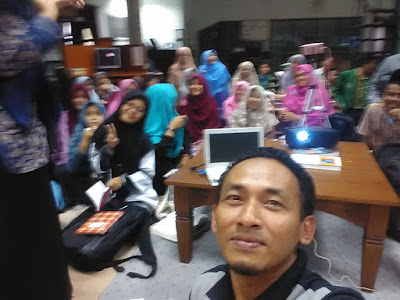
PPL IAIN Syekh Nurjati Cirebon
Jika ditanya apa yang kau suka dari kehadiran mereka? Mereka punya jawabannya : semangat yang tinggi dengan keingintahuan yang tipikal mahas...
-
 Jika ditanya apa yang kau suka dari kehadiran mereka? Mereka punya jawabannya : semangat yang tinggi dengan keingintahuan yang tipikal mahas...
 -
 Istriku berteriak kegiarangan di Whatsapp. Jumat itu, sedari pagi seperti yang ia janjikan, ia bergegas menuju ke kantor pos di Sarijadi. ...
